/images/avatar.png

Cloud.Virt.AI.Sec

Cloud · Virt · AI · Sec

Welcome to Cloud.Virt.AI.Sec

New Backup Copy Modes Bring 3-2-1 to More Workloads

Backup Copy Fundamentals

Veeam’s Backup Copy feature is the backbone of the 3-2-1 rule and has been part of VBR since day one. Conceptually it’s simple: take an existing restore point and duplicate it as a fully functional restore point in another repository. A restore point might be a single .vbk full or a chain of .vbk + .vib files—Backup Copy preserves whatever structure the source job created.

Backup Copy typically uses a forever-incremental chain. The first run produces a .vbk full; every subsequent run writes .vib increments on top of that base. Synthetic fulls are created via the GFS schedule—for example:
Hidden Shortcuts Inside VBR

After upgrading to V10, VBR gained lots of new features—and a surprising number of hidden shortcuts. Here are a few of my favorites.

Ctrl + Right-click

In many views you can hold Ctrl and right-click to reveal additional menu items that aren’t visible otherwise.

Start a Fresh NAS Backup Chain

NAS jobs are forever-incremental, but sometimes you just need a brand-new full. In the Files shares backup job list, select the job, hold Ctrl, right-click, and the Start new backup chain button appears.

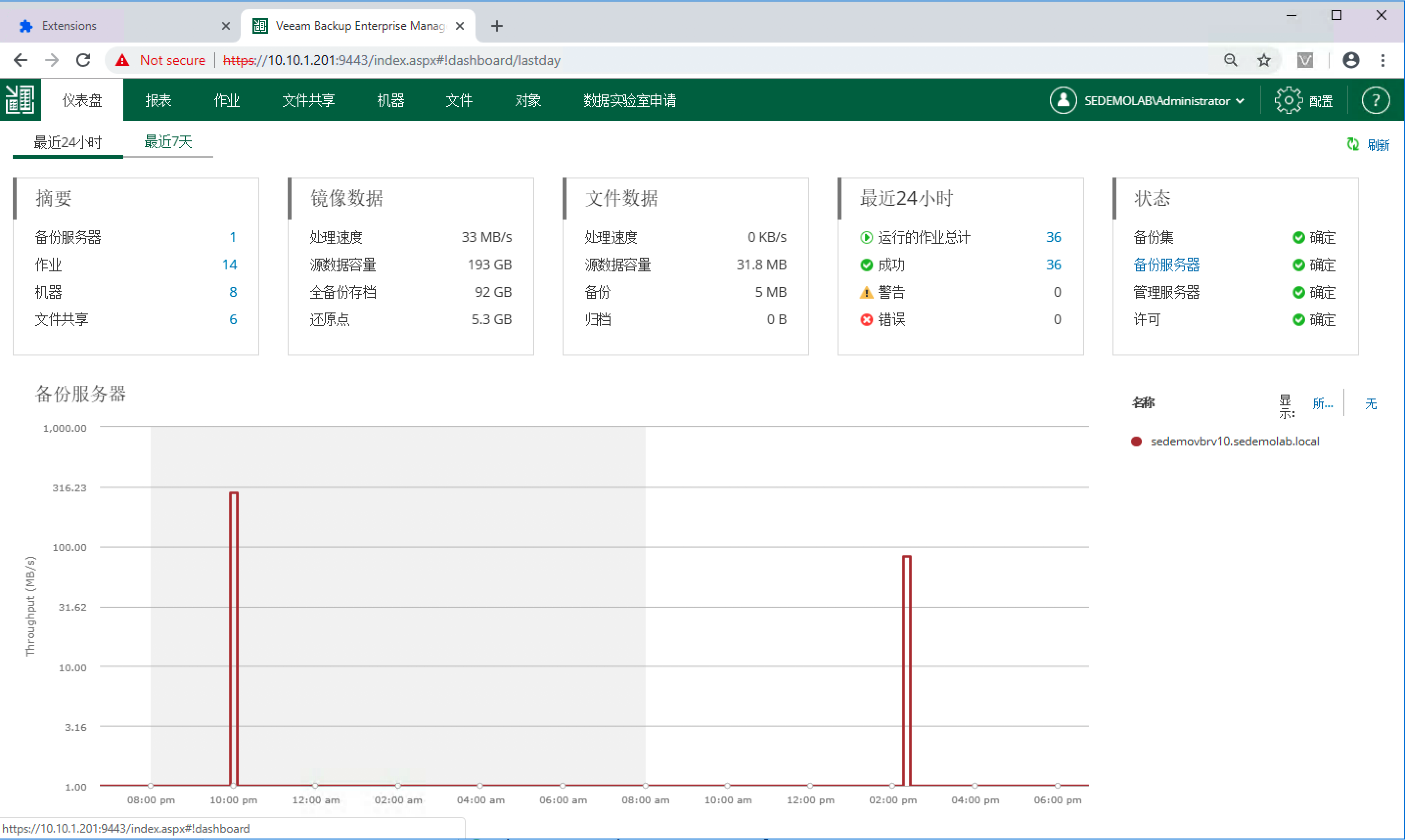
DIY Chrome Extension – Enterprise Manager UI in Chinese (Beta)

Ever since I joined Veeam, people have been asking, “When will we get a Chinese UI?” It’s a tough challenge, and I’ve always been pessimistic about the timeline.

Still, where there’s a will, there’s a way. Today I’m sharing a small treat: a Chinese localization plug-in for the Veeam Enterprise Manager web interface.

Here’s a preview:

https://s1.ax1x.com/2020/03/13/8nUz38.png

Download:

https://gitee.com/veeamchinadocs/veeam-webui-cn-plugin

Usage is simple: download the archive, place the Veeam-CN-WebUI-Beta-1.x.x folder on any machine running Chrome (it doesn’t need to be the Enterprise Manager server), and follow the included instructions.

VAO Basics (Part 9) – Report Template Guide

VAO Basics (Part 8) – Plan Steps · Part 2

VAO Basics (Part 7) – Plan Steps · Part 1

Series Index

In Part 6 we walked through building Orchestration Plans. When designing DR, it’s best to start with a single application and scale gradually. By default, each plan includes the minimum steps required to restore or fail over a workload. VAO’s real power lies in the ability to add steps—pick what you need from the built-in library or layer on custom actions.