Making Veeam Updates Both Secure and Fast: A Complete Guide to Building Local Update Repository Servers
In the previous articles of this series, we’ve installed and run the Veeam Software Appliance, experiencing its “secure by default” management approach. Now, let’s tackle a question many people genuinely care about: How to enable Veeam Software Appliance to automatically receive updates in an offline environment, just like it would online. The official documentation mentions specifying a local mirror repository, but it doesn’t provide detailed instructions on how to build, sync, or configure certificates. Based on my lab testing, I’ll walk you through the complete process step by step.
Why Build Your Own Update Repository?
The Veeam Software Appliance includes a Veeam Updater service that automatically connects to https://repository.veeam.com daily to pull patches and metadata. This is convenient for environments with internet access. However, in isolated zones, testing environments, or scenarios where compliance requirements prevent public internet access, you’ll face issues with delayed patches and troublesome manual updates.
A local update repository serves as an internal “replica” of Veeam’s official repository, providing HTTPS services and making the Appliance trust it. This way, even when disconnected from the internet, it can automatically check for and install updates. You just need to periodically mirror the official repository, and your internal Appliances can update just as if they were connected to the internet.
Deploying nginx + Self-Signed Certificates + Repository Sync on Ubuntu
This tutorial demonstrates how to set up a complete Veeam official repository mirror service on an Ubuntu virtual machine:
- Using nginx to provide HTTPS access
- Providing transport security through self-signed certificates (or replace with Let’s Encrypt certificates) to meet Veeam’s official requirements
- Using wget mirror mode to periodically sync official repository content
My lab environment runs on a Proxmox virtual machine with CPU and memory configured as needed, but you should reserve sufficient disk space (the Rocky repository is about 17GB, while the complete repository can exceed 100GB).
Let’s proceed with the following steps:
# Install nginx
apt install nginx -y

# Create directories for repository and certificates
mkdir -p /var/www/veeam-repo
mkdir -p /etc/nginx/ssl
cd /etc/nginx/ssl

# Generate self-signed certificates
openssl genrsa -out veeamrepo.key 2048
openssl req -new -key veeamrepo.key -out veeamrepo.csr \
  -subj "/C=CN/ST=Beijing/L=Beijing/O=Lab/OU=IT/CN=veeamupdater.backupnext.home"
openssl x509 -req -days 3650 -in veeamrepo.csr -signkey veeamrepo.key -out veeamrepo.crt
Note that veeamupdater.backupnext.home is my home domain setup. If you’re building your own mirror server, you can set the domain name according to your situation. This domain will be needed in later steps.
Configure the nginx virtual host (/etc/nginx/sites-available/veeamrepo.conf):
server {
    listen 443 ssl;
    server_name veeamupdater.backupnext.home;

    ssl_certificate     /etc/nginx/ssl/veeamrepo.crt;
    ssl_certificate_key /etc/nginx/ssl/veeamrepo.key;

    root /var/www/veeam-repo;
    index index.html index.htm;

    autoindex on;
    autoindex_exact_size off;
    autoindex_localtime on;

    location / {
        allow all;
    }
}

server {
    listen 80;
    server_name veeamupdater.backupnext.home;
    return 301 https://$host$request_uri;
}
Enable and check the configuration:
ln -s /etc/nginx/sites-available/veeamrepo.conf /etc/nginx/sites-enabled/
nginx -t && systemctl reload nginx
Next, write the repository sync script (syncing only needed paths, using rocky as an example):
#!/bin/sh
MIRROR_DIR="/var/www/veeam-repo"
LOG_FILE="/root/sync_vbr_only.log"
URL="https://repository.veeam.com/rocky/"

cd "$MIRROR_DIR" || exit 1

wget -m -c -np -nH --cut-dirs=0 \
     -e robots=off \
     -t 3 -T 30 \
     -R "index.html*" \
     -l inf \
     "$URL" >> "$LOG_FILE" 2>&1

echo "Sync completed at $(date)" >> "$LOG_FILE"
Give the script execution permissions and schedule it with crontab:
chmod +x /root/sync_veeam_vbr.sh
crontab -e
# Sync once daily at 9 AM
0 9 * * * /root/sync_veeam_vbr.sh
You can run the script manually for the first download - about 17GB depending on your network speed. After downloading, you don’t need to restart nginx; the web service will automatically serve new files once the directory content is updated.
Configuring Local Repository in Veeam Software Appliance
Once the mirror server is ready, the next step is to enable it in the Veeam Software Appliance. The approach is straightforward: import the self-signed certificate to the console → specify the mirror address → test updates.
Here are the specific steps:
- Copy the
veeamrepo.crtself-signed certificate generated on the nginx server to the server where Veeam Backup Console is located; - Open Veeam Backup Console and navigate to the Update Settings interface.

- Click on the Software repository settings below and enter your address in the “Mirror repository” field (e.g.,
https://veeamupdater.backupnext.home/rocky);

-
Upload the
.crtcertificate and save the settings; -
In the upper left corner of the Console, continue clicking “Check updates” to jump to the updater web page. Click
Check update- if it prompts success and can normally download updates, it means the internal network mirror repository has been configured successfully.
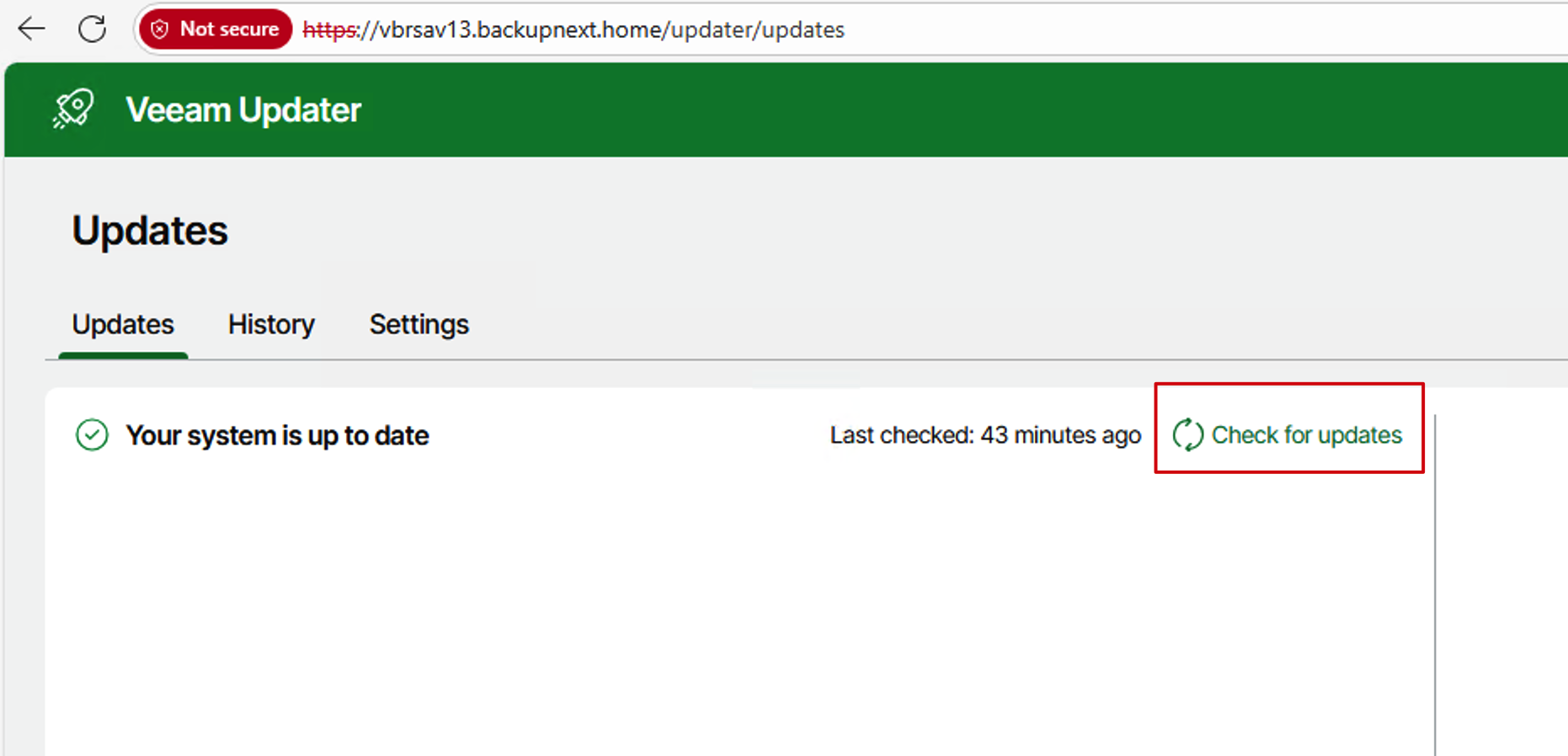
- This process can also be set up in the web Console.

That’s it! Even in a completely isolated internal network environment, Veeam Software Appliance can automatically receive patches and updates just like it would on the public internet, eliminating the need for manual downloads and imports. Additionally, this internal update service not only applies to a single Appliance but can also provide a unified update source for the entire Veeam Infrastructure Appliance environment - all device update requests will automatically redirect to your internal mirror repository, truly achieving a centralized, fast, and secure upgrade experience.
In the next article, I’ll continue to dive deeper, helping you understand the usage and management of Veeam Infrastructure Appliance.