Veeam Launches Software Appliance: New Download Experience and Documentation Overhaul
Introduction: The Background of Veeam Software Appliance
Yesterday, Veeam quietly launched a new product on their official website: Veeam Software Appliance. For many of us, Veeam has traditionally followed the Windows installer + manual configuration approach. This Software Appliance clearly takes a different path: both installation and security are pre-configured, significantly simplifying the onboarding process. For instance, it’s built on a pre-hardened Rocky Linux platform, comes with immutable storage, zero-trust access control, and automatic patching - eliminating the need to purchase Windows licenses or perform your own security hardening. You can deploy it directly using ISO or OVA formats, and it runs on virtual machines, physical servers, or in the cloud.
Meet the New Product: Veeam Software Appliance Overview
With this update, Veeam has released a “three-piece suite” all at once. If you’re familiar with using Veeam for backup, the names might be a bit confusing. Let me break it down for you:
-
Veeam Software Appliance This is the “main character” of this release - what we know as the Veeam backup software itself, including the backup server (Veeam Backup & Replication) and Enterprise Manager. The difference is that you no longer need to install multiple packages on Windows. Instead, Veeam provides an ISO or OVA image directly. After the server boots with it, you enter the system installation interface and can install both the system and software in one go - saving time and enhancing security.
-
Veeam Infrastructure Appliance Think of this as an “extension pack” for backup infrastructure. In Veeam environments, distributed deployment of various server roles is supported, such as Proxy, Tape Server, Gateway Server, Mount Server, and most importantly, the hardened repository (Hardened Repository). Now through this Appliance, you can install these roles. Like the Software Appliance, it’s built on pre-configured Rocky Linux, ready to use out of the box, reducing both deployment and maintenance costs.
-
Veeam ONE v13 This isn’t a Software Appliance version - it’s the same as before, a Windows-based installer. This is a regular upgrade version responsible for monitoring and analyzing the entire backup/recovery environment. You can upgrade from V12’s Veeam ONE to v13, and it can monitor both older versions (V12 Windows-based VBR) and new Appliance versions. This is particularly important for those of us managing both legacy and new environments, enabling a smooth transition for those wanting to try out V13 early.
It’s worth noting that for backup servers, this Software Appliance v13 version only supports fresh installations. Existing v12 versions don’t yet support upgrade and migration. If you’re already using Veeam and want to upgrade, you might need to wait a bit longer. Veeam will introduce a smooth upgrade solution in the next update.
Additionally, Veeam Software Appliance will no longer support community edition licensing. So even if you want to try it, you’ll need to download a trial license from the official website and import it to get this Appliance working.
Website Overhaul: New Download and Documentation Experience
Along with the new product launch, Veeam’s official website has also undergone some adjustments. Changes to the product download portal, documentation pages, and manual structure might cause some confusion. Let’s take a look at the specific changes.
Software Download Page
Based on this release, there are three components in total, and their download locations are slightly different.
Veeam Software Appliance Main Download
On the Veeam Chinese website’s download button in the upper right corner, you can enter the download page. Once there, find Veeam Data Platform downloads - here’s the direct link (https://www.veeam.com/cn/products/data-platform-trial-download.html?tab=extensions). You’ll notice a new tab called Pre-Hardened Software Appliance (Linux) in the download options. Click to switch and you’ll find the backup server main download, as shown below:
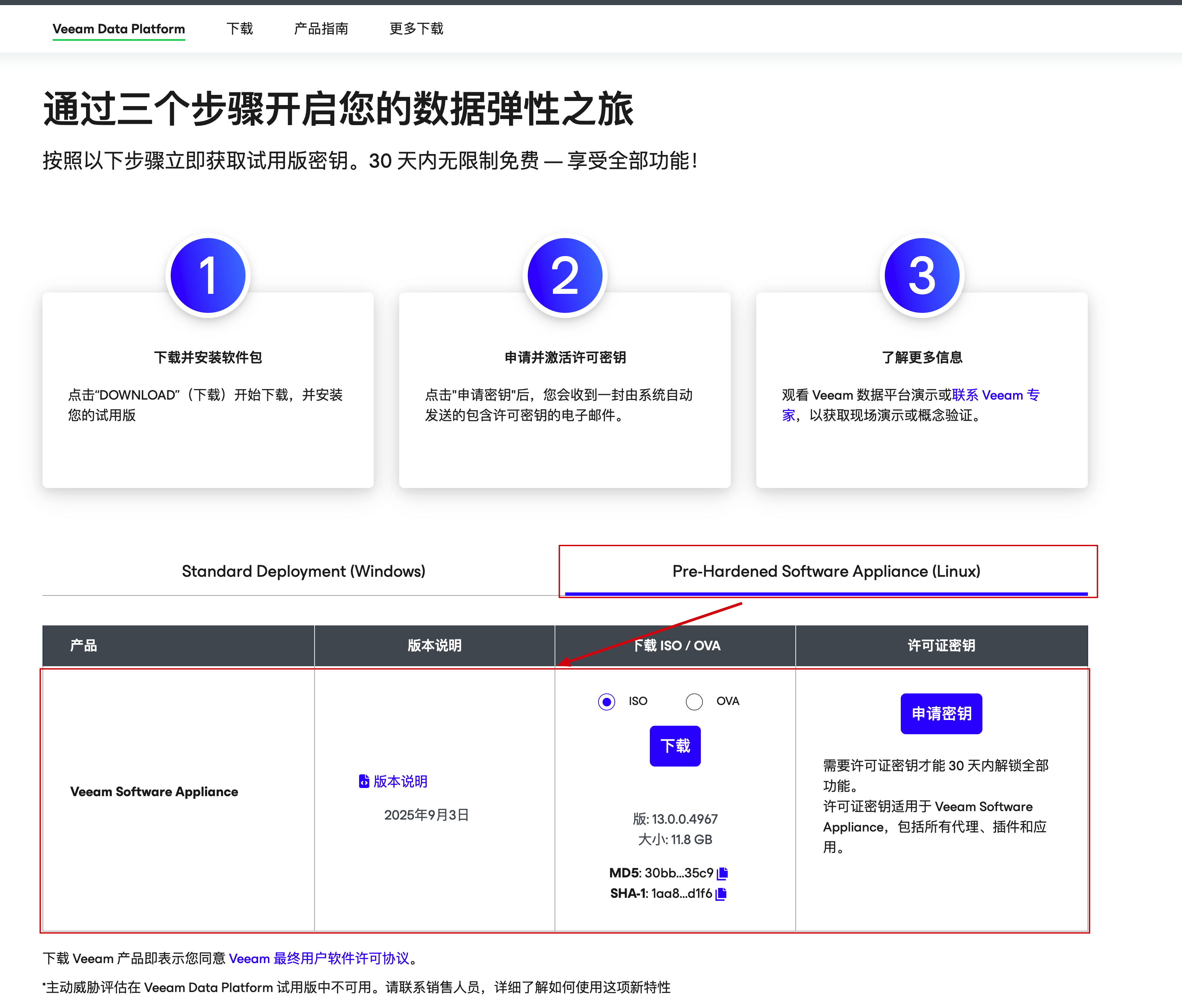
Here you can find this Appliance’s version release notes, choose to download in ISO or OVA format, and on the far right, you can also apply for a license key. If you haven’t purchased a formal license, make sure to click here to apply for a key to get a trial license - otherwise, this Appliance won’t work.
Veeam Infrastructure Appliance
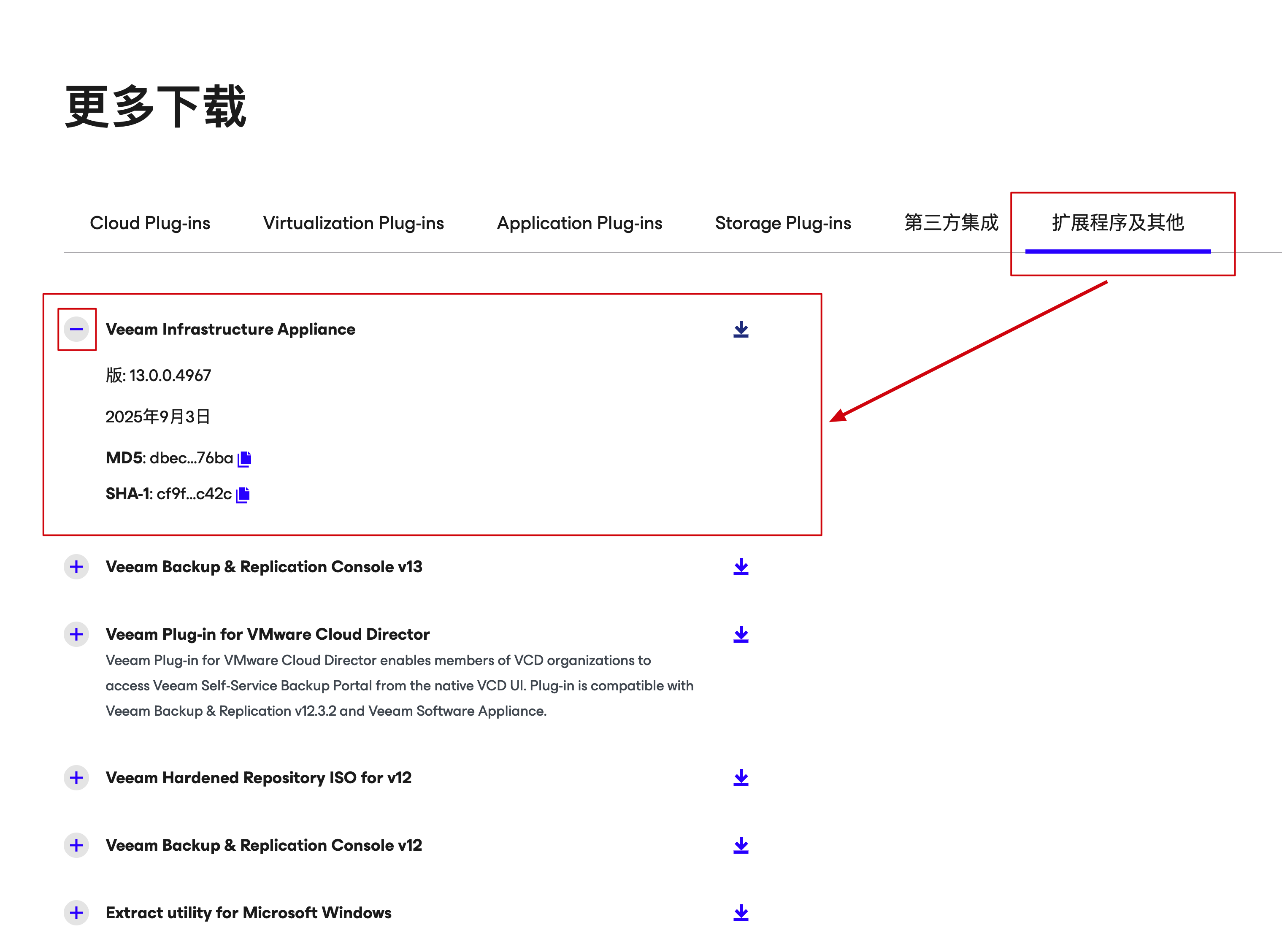
Below the page mentioned above, you’ll see “More Downloads” - switch to Extensions and Other, and you’ll find Veeam Infrastructure Appliance. Click the + sign in front to expand the download section for this component.
Veeam ONE v13
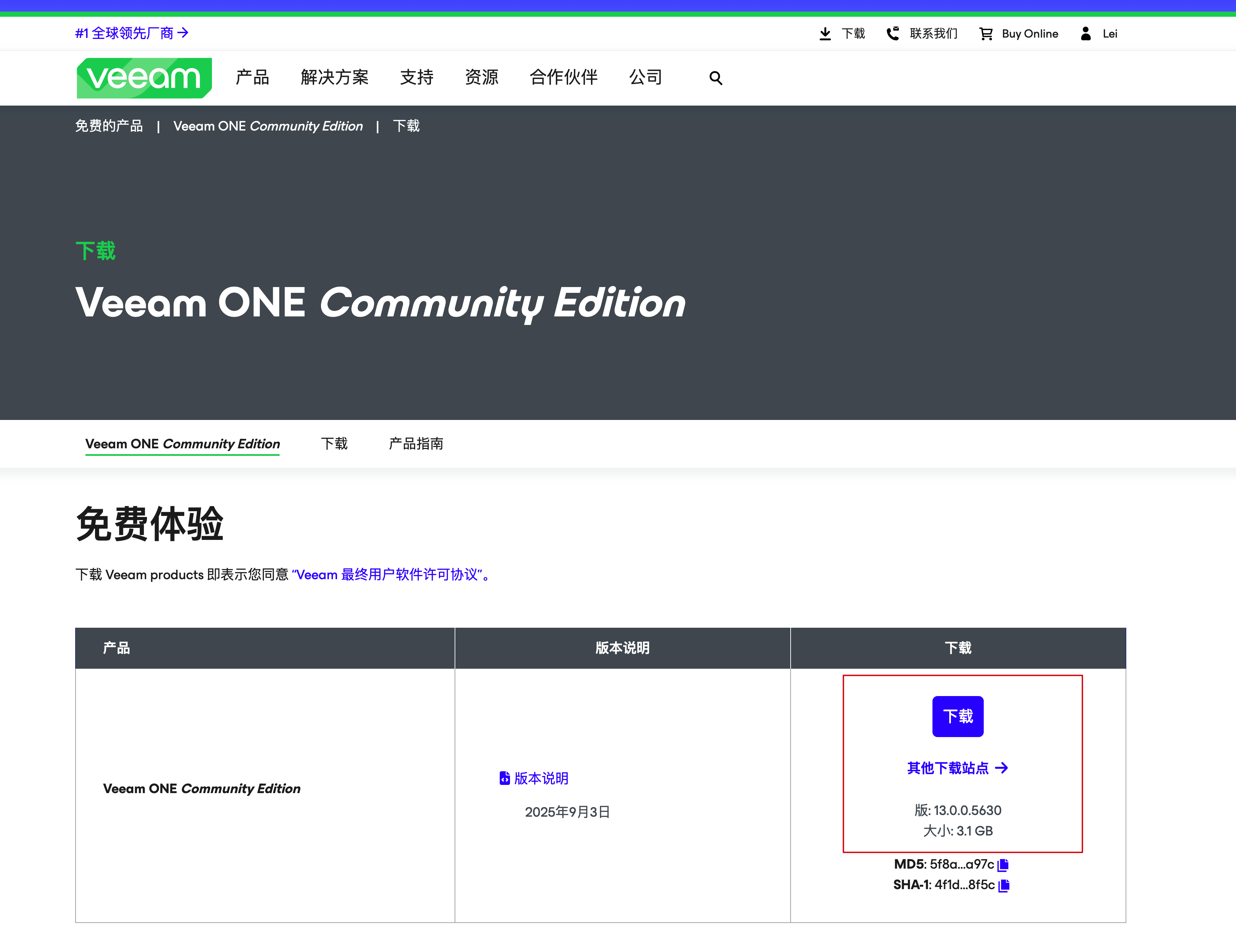
The Veeam ONE download page is a bit hidden - if you try to find it directly from the official website homepage, you might not locate it. Here’s a direct link (https://www.veeam.com/cn/products/free/monitoring-analytics-download.html). Although it’s the community edition, the product installation package is the same. Friends familiar with Veeam’s website can also find the v13 download from my.veeam.com.
V13 User Manuals
Beyond software downloads, the official documentation has also been significantly improved. Both Software Appliance and Veeam ONE have launched corresponding v13 documentation. The documentation structure has also been reorganized, rather than having most features written in the vSphere backup documentation as before - after all, Veeam’s functionality is no longer just a VMware-specific backup tool.
Documentation links:
Veeam Software Appliance User Manual
https://helpcenter.veeam.com/docs/vbr/userguide/overview.html?ver=13
Enterprise Manager User Manual
https://helpcenter.veeam.com/docs/vbr/em/introduction.html?ver=13
Veeam Explorer User Manual
https://helpcenter.veeam.com/docs/vbr/explorers/explorers_introduction.html?ver=13
Proxmox Backup User Manual
https://helpcenter.veeam.com/docs/vbproxmoxve/userguide/overview.html?ver=2
Veeam ONE v13 User Manual
https://helpcenter.veeam.com/docs/one/userguide/about_one.html?ver=13
Series Preview and Quick Start Guide
This series of articles will delve deeper into Veeam Software Appliance’s key features, deployment essentials, and comprehensive usage guides to help readers make the most of Veeam’s latest resources. If you’re also exploring how to quickly master the new Veeam experience, stay tuned for upcoming updates.