New Backup Copy Modes Bring 3-2-1 to More Workloads
Backup Copy Fundamentals
Veeam’s Backup Copy feature is the backbone of the 3-2-1 rule and has been part of VBR since day one. Conceptually it’s simple: take an existing restore point and duplicate it as a fully functional restore point in another repository. A restore point might be a single .vbk full or a chain of .vbk + .vib files—Backup Copy preserves whatever structure the source job created.
Backup Copy typically uses a forever-incremental chain. The first run produces a .vbk full; every subsequent run writes .vib increments on top of that base. Synthetic fulls are created via the GFS schedule—for example:
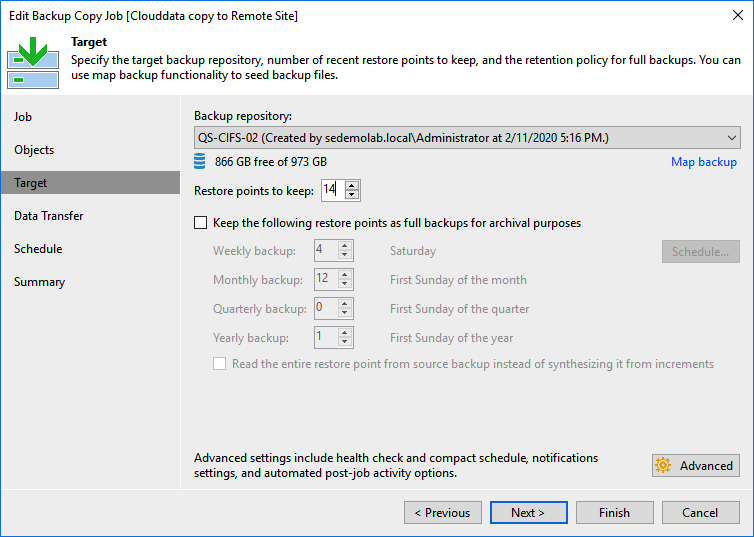
With 14 restore points and a daily schedule, the chain looks like this after one cycle:

Enable Weekly GFS and set it to retain two weeks:
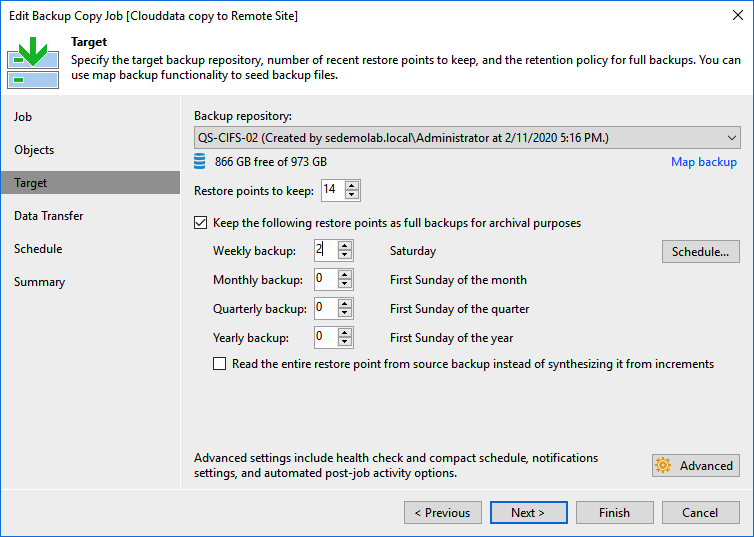
Now you’ll see two synthetic weekly fulls alongside the forever-incremental chain:

What’s New in V10
V10 introduces a brand-new mode while keeping the original behavior. The classic mode now carries the name Periodic Copy; the new one is Immediate Copy. Their capabilities differ slightly:
| Source type | Immediate Copy | Periodic Copy |
|---|---|---|
| vSphere / Hyper-V VM backups | ✔︎ | ✔︎ |
| Centrally managed Veeam Agents | ✔︎ | ✔︎ |
| SQL & Oracle transaction logs | ✔︎ | ✖︎ |
| Standalone Veeam Agents | ✖︎ | ✔︎ |
| Oracle RMAN / SAP HANA | ✔︎ | ✖︎ |
| Nutanix AHV | ✖︎ | ✔︎ |
| AWS EC2 | ✖︎ | ✔︎ |
| Microsoft Azure VMs | ✖︎ | ✔︎ |
Immediate Copy mirrors restore points as soon as the primary job finishes. It’s a 1:1 mirror of restore points—not literal file copies. For example, if the primary job creates a synthetic full every Saturday, Immediate Copy runs immediately afterward and produces a matching restore point (implemented as a .vib increment). Because it keeps up with the primary job, it’s ideal for workloads that rely on transaction-log backups and need tighter RPOs for off-site DR.
Periodic Copy is the traditional schedule-based mode that runs at defined intervals.
There’s no in-place conversion between modes. To adopt Immediate Copy, disable the legacy job and create a new Backup Copy job using Immediate Copy mode, checking Include database transaction log backups when needed.
That’s the rundown. If you haven’t configured Backup Copy yet, now’s a great time to do it—more workloads than ever can benefit from 3-2-1 protection.