Hidden Shortcuts Inside VBR
After upgrading to V10, VBR gained lots of new features—and a surprising number of hidden shortcuts. Here are a few of my favorites.
Ctrl + Right-click
In many views you can hold Ctrl and right-click to reveal additional menu items that aren’t visible otherwise.
Start a Fresh NAS Backup Chain
NAS jobs are forever-incremental, but sometimes you just need a brand-new full. In the Files shares backup job list, select the job, hold Ctrl, right-click, and the Start new backup chain button appears.
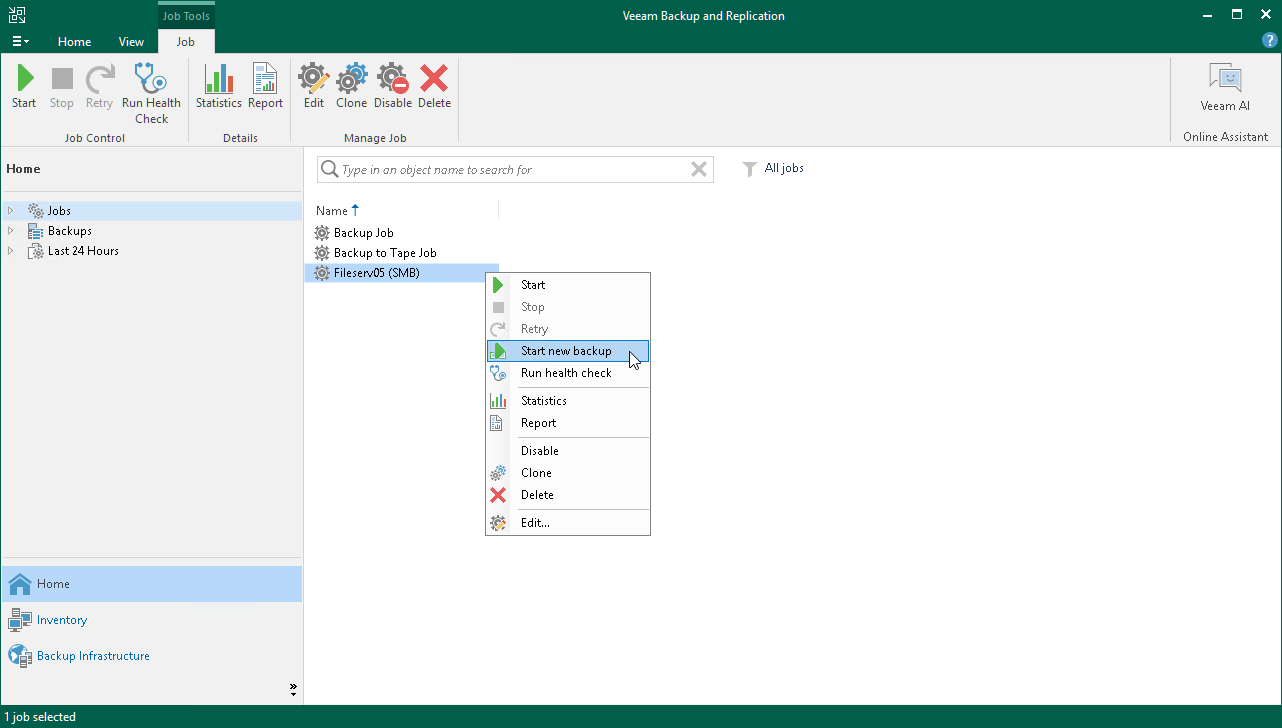
After the full runs, the previous restore points move under Disk (Imported) and the new chain becomes the active forever-incremental sequence.
Force-delete Oracle / SAP HANA Jobs
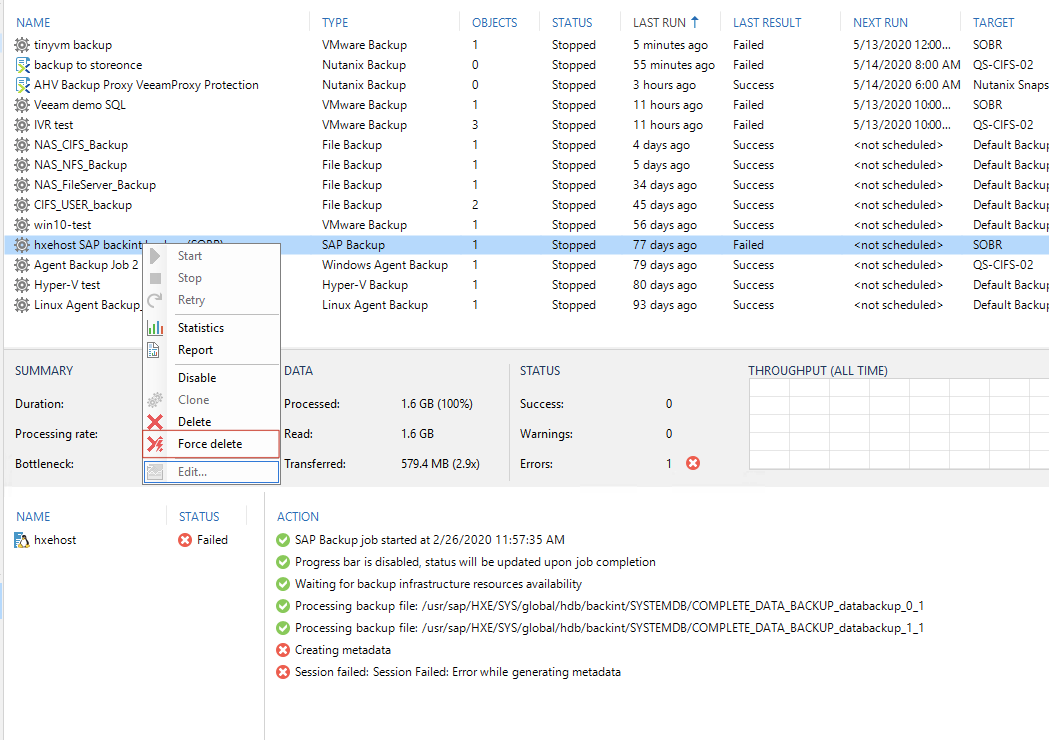
When you configure Oracle RMAN or SAP HANA backups, VBR creates specialized jobs. The normal Delete option refuses to run until RMAN/HANA backup sets are removed. If you only want to remove the job definition, hold Ctrl, right-click, and use Force Delete.
Run SOBR Tiering Now
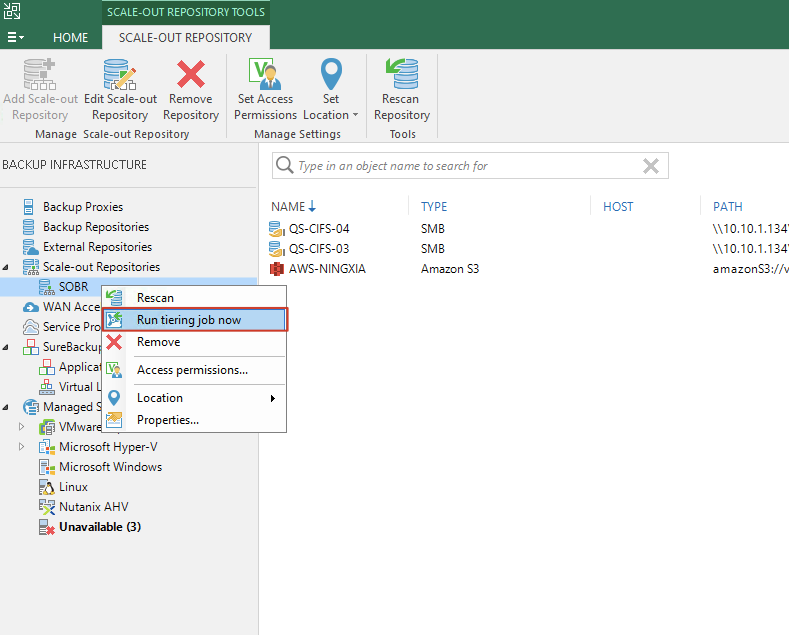
Annoyed by the rigid “every four hours” offload schedule? On the Scale-out Backup Repository node, hold Ctrl, right-click, and you’ll find Run tiering job now.
Left/Right Arrow Keys
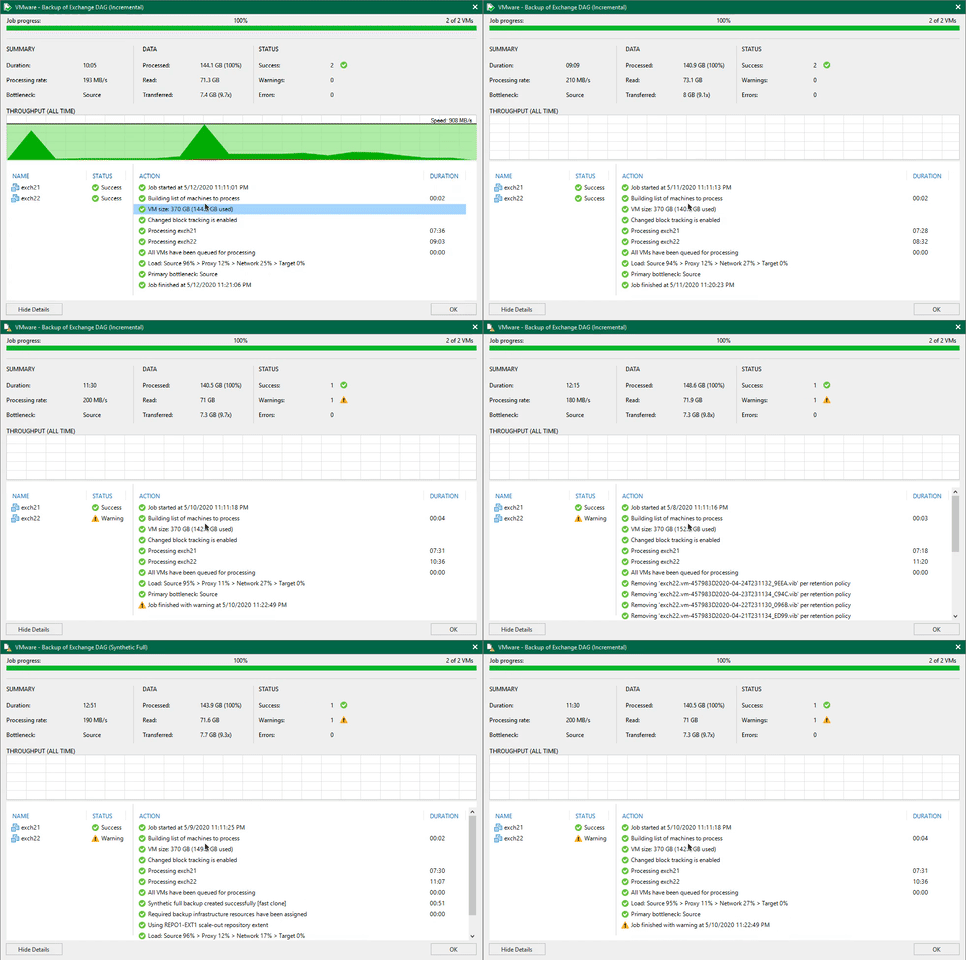
When you double-click a job in the Jobs view, VBR shows the latest session summary. To review older sessions you don’t have to jump to the History pane—press the left/right arrow keys within the detail window to move backward or forward through previous runs.
Other Hidden Right-click Menus
Some dialogs hide context menus that are worth knowing about.
SureBackup Statistics → Troubleshooting Mode
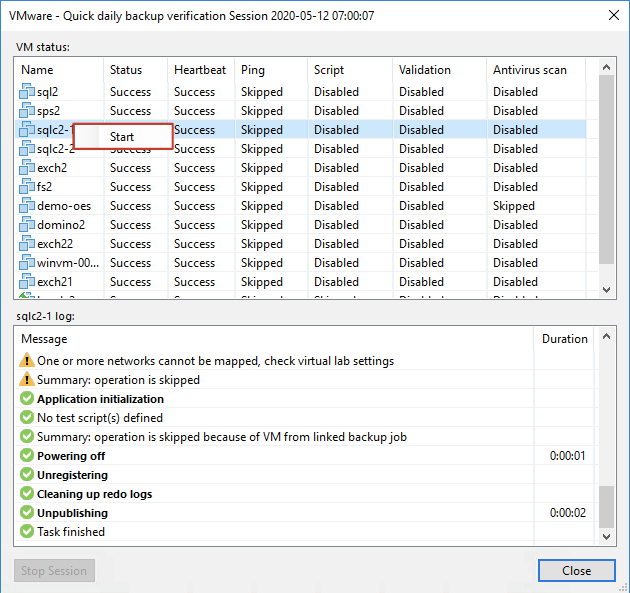
Double-click a SureBackup job to open the Statistics window. Right-clicking a VM reveals Start, which relaunches the DataLab in troubleshooting mode. In this mode the job keeps running until you manually stop it, making it ideal for investigating failures. Don’t forget to click Stop when you’re done.
Capacity Tier Restore Points
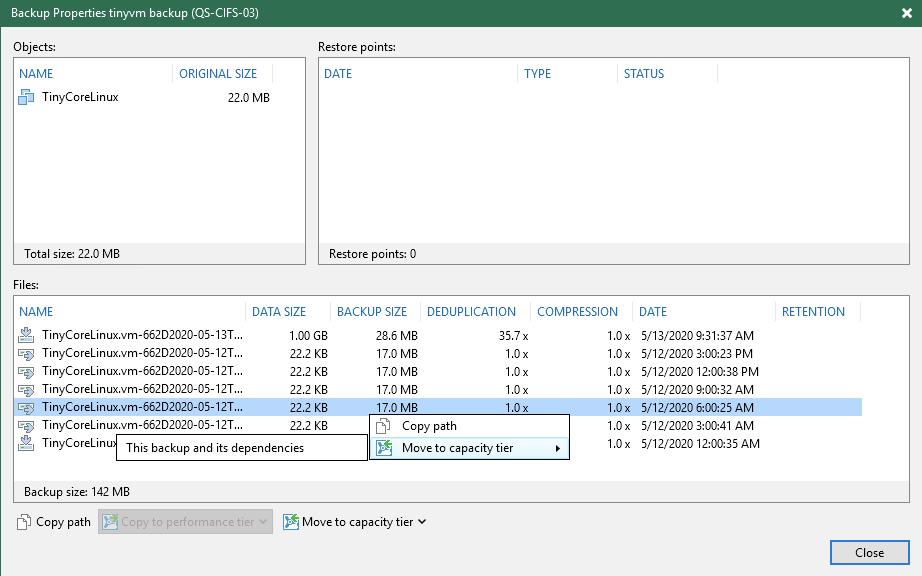
Normally the Backups node offers only “Copy path”. If the restore point resides in a SOBR with Capacity Tier enabled, additional options appear—right-click to discover them.
Those are a few of the hidden gems I’ve found. If you run across more, drop a note and let me know!