DIY Chrome Extension – Enterprise Manager UI in Chinese (Beta)
Contents
Ever since I joined Veeam, people have been asking, “When will we get a Chinese UI?” It’s a tough challenge, and I’ve always been pessimistic about the timeline.
Still, where there’s a will, there’s a way. Today I’m sharing a small treat: a Chinese localization plug-in for the Veeam Enterprise Manager web interface.
Here’s a preview:
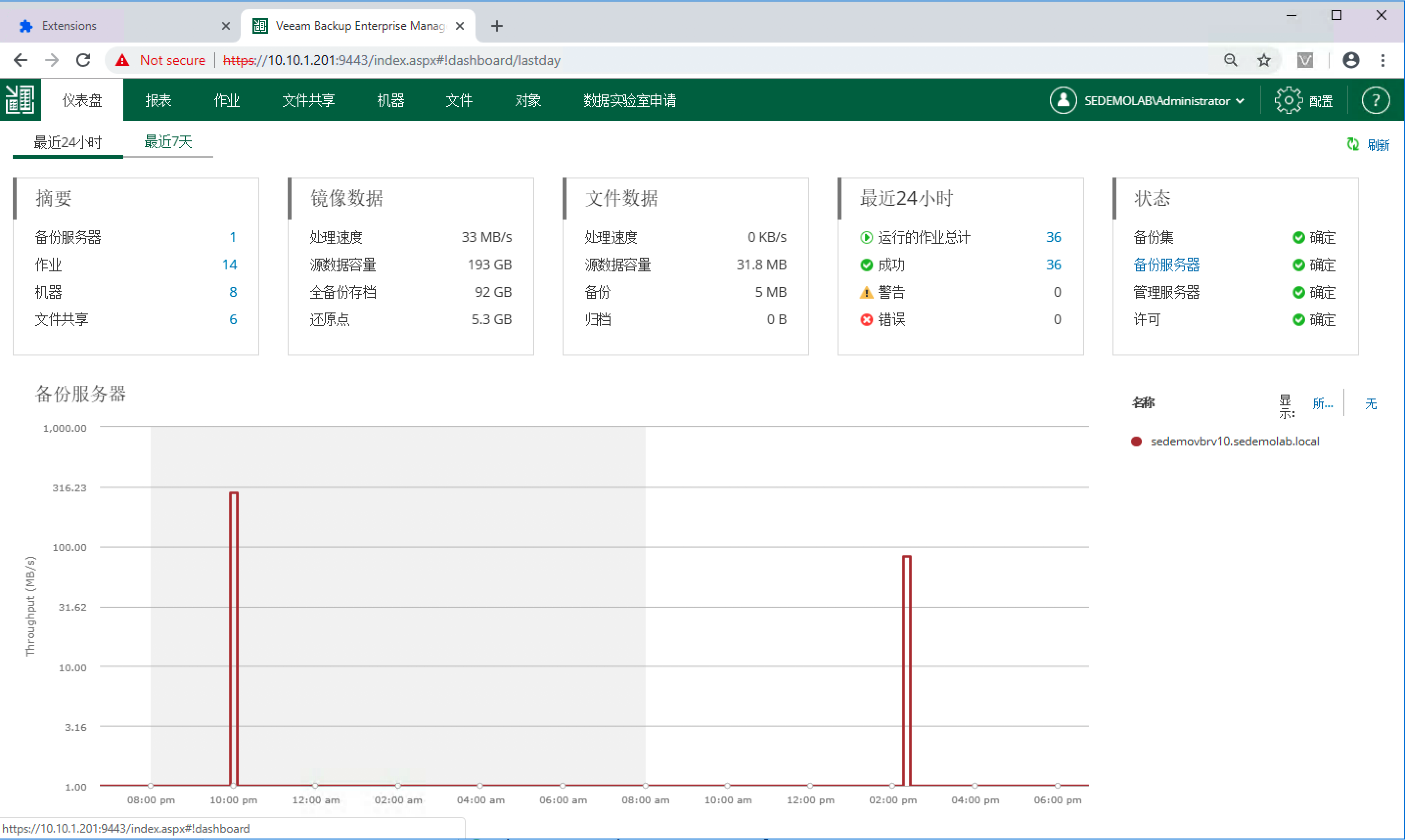
Download:
https://gitee.com/veeamchinadocs/veeam-webui-cn-plugin
Usage is simple: download the archive, place the Veeam-CN-WebUI-Beta-1.x.x folder on any machine running Chrome (it doesn’t need to be the Enterprise Manager server), and follow the included instructions.
Notes:
- This is a Chrome-side localization plugin. Disable it whenever you aren’t visiting Enterprise Manager.
- Translation coverage is roughly 95%. A few elements are still pending but don’t affect usability.
- If a page doesn’t refresh into Chinese immediately, just reload or click another link to trigger the switch.
- Because this runs entirely in the browser, it doesn’t change the Veeam software itself. Close the plug-in, refresh the page, or switch browsers/computers to go back to the original UI.
Special thanks to the Veeam Japan SE team—the plug-in builds on their work, adapted into Chinese.