The Secret of File-Level Recovery
When it comes to restoring virtual machines, you typically have several recovery methods at your disposal, each suited for different scenarios. Among these, file-level recovery stands out as one of the most widely used approaches. This isn’t exactly cutting-edge technology—the need for it emerged alongside virtualization backup itself, and major backup software vendors quickly implemented support for it. On the surface, file-level recovery seems straightforward, but when you actually need to use it, Veeam offers some powerful capabilities that can make a real difference.
Let me walk you through a scenario I encountered recently. I opened up the file-level recovery browser—the interface you typically get from backup software vendors:
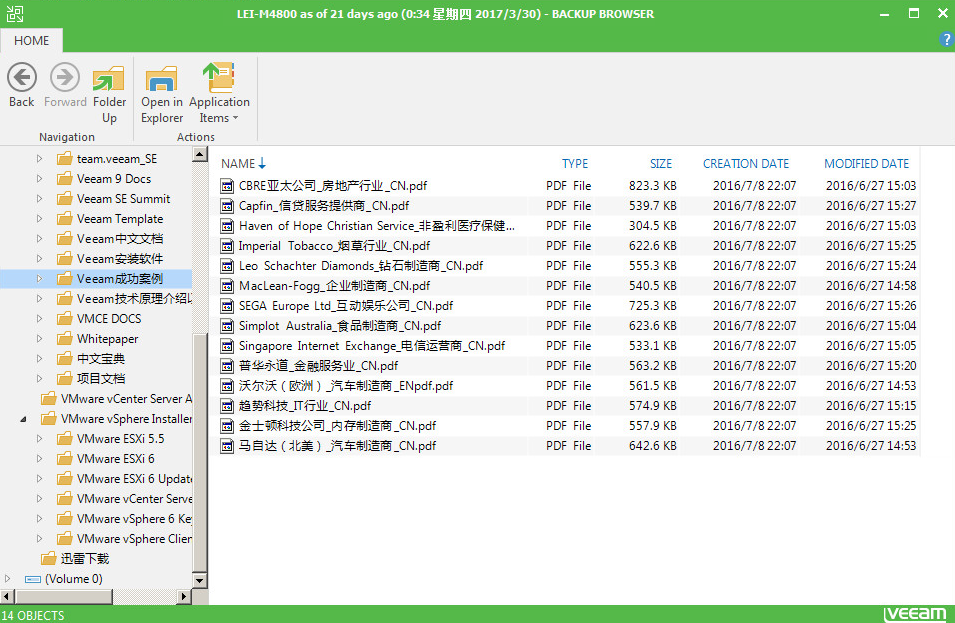
Looking at this screen, I found numerous PDF files, but here’s the problem: I had no idea what any of these files actually contained. The filenames weren’t descriptive enough to tell me what was inside. Before committing to a recovery operation, I really wanted to preview their contents first. What if I recovered the wrong files? That would be a complete waste of time and effort.
Unfortunately, the standard interfaces provided by most backup software don’t let you preview files before recovery. This is where Veeam’s File-Level Recovery (FLR) has an incredibly useful feature. Check out this button:
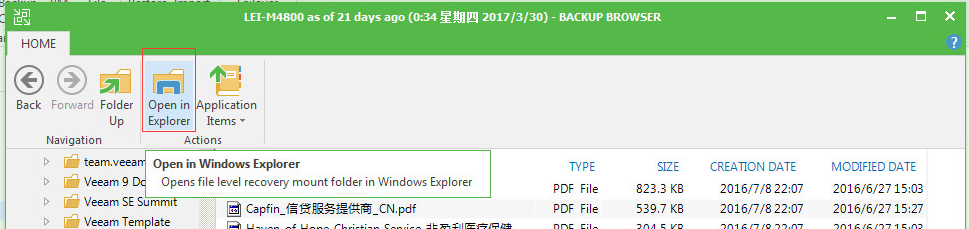
This seemingly simple button unlocks a powerful capability. When you click it, something remarkable happens:

Suddenly, those PDF files I couldn’t examine before are now accessible on my local machine. I can open them, review their contents, and make an informed decision about whether they’re worth restoring. Pretty impressive, right?
Here’s another common scenario: what if you have a ZIP archive and only need specific files from within it?

That same powerful button comes to the rescue:

This button opens up endless possibilities for recovery operations. For any file type that requires specialized applications to open—whether it’s complex databases, proprietary formats, or archive files—as long as you have the appropriate application installed on your system, this button enables you to extract and recover the specific content you need.
At the end of the day, data content is what truly matters in our IT environments. Any recovery process that doesn’t consider the actual content you’re restoring is fundamentally incomplete. So before you initiate your next file-level recovery, remember to use this powerful feature—it could save you from restoring the wrong data and ensure you recover exactly what you need.